Menu



Getting your files ready for professional book printing is easier than ever with our free templates and formatting tools. Whether you’re self‑publishing a novel, designing a photo book, or preparing a textbook, our resources help you set up print‑ready files with the correct trim size, margins, and bleeds. From cover layout guides to interior page templates, you’ll find everything you need to avoid costly errors and ensure flawless results.
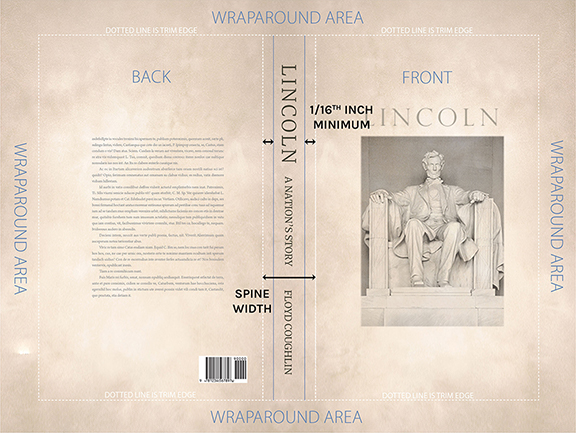
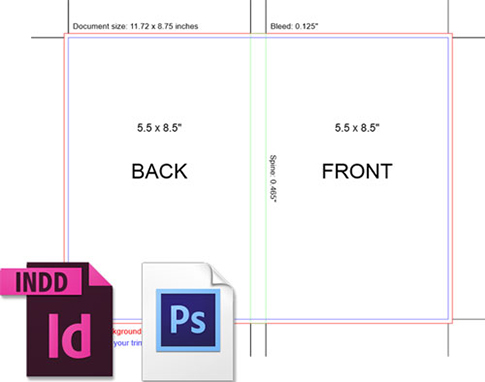
We offer custom templates for all binding styles, including softcover, hardcover, spiral and dustjacket. Our generator will automatically calculate your spine width based on your page count and trim size.
Template includes front cover, back cover and spine. Enter your book's details to get started.
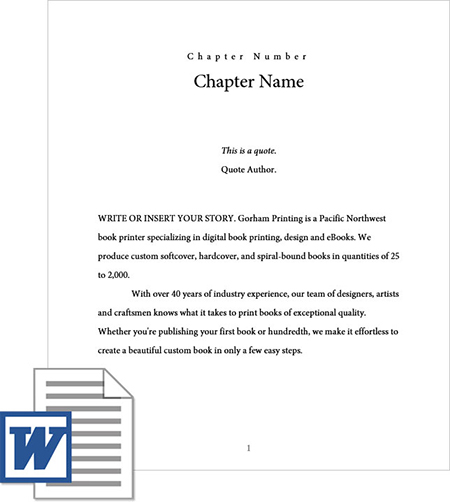
Our interior template takes care of all the little details, including margins, page numbers, and copyright details. Select from a list of interior fonts, curated by our team of professional designers.
Choose one of our three industry-standard sizes or enter your book's custom trim size. Once downloaded, simply paste your book's content into the template to get started.
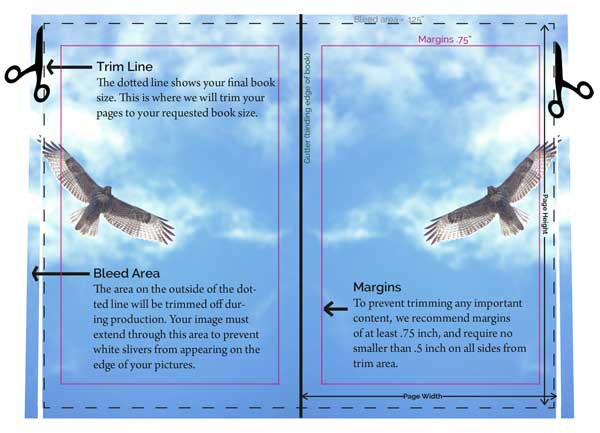
If the images in your book touch the edge of your pages, you will need to prepare your interior files for bleeds. This ensures that there are no white margins around the edge of your pages due to inevital shifts during printing.
Typically, setting up your pages with bleeds involves adding 0.125 inches to each side. Use our bleed dimensions calculator to determine the total size of your document.

Get marketing tips, design inspiration and more from the world of DIY book printing.
© 2026 Gorham Printing Inc. All rights reserved. Privacy Statement