Menu

Think of your cover like a jacket made to wrap around the pages of your book with a perfect fit. A perfect fit is based not only on the trim size of your book but also the number of pages in your interior and the weight of your interior stock.
The two most common programs for preparing a book cover are Adobe InDesign and Photoshop. The file you make from this software is called a native file. Once you have finished your cover preparation in the native file, you will need to save it as a PDF (Portable Document File). A PDF will lock everything in place so no movement or changes occur when the file is sent to the printer.
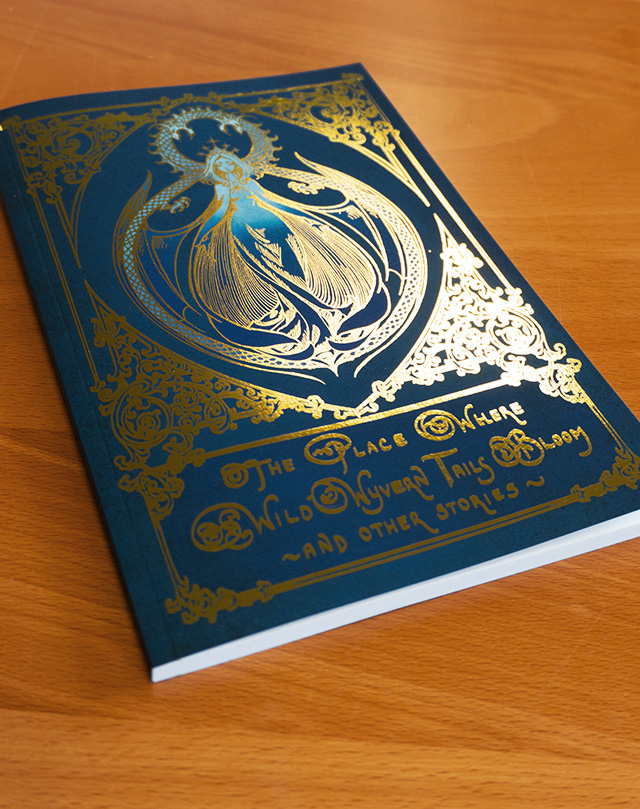
Gorham Printing offers premium features that give authors and publishers a way to elevate their projects far beyond standard production. These enhancements add depth, texture, and visual impact, turning a simple cover into a tactile experience. Some of our most popular choices include:
With 3D Spot UV, raised gloss highlights can emphasize titles, patterns, or artwork, creating a luxurious finish that signals quality before a reader even opens the book. Paired with other premium options, such as foil stamping or specialty papers, these features help transform a book into a polished, professional product that leaves a lasting impression.
Still have questions? We've been helping authors print their books for over fifty years. Whether you have questions about designing your own book or need help getting a quote, our team of print experts are only a call or email away. Check out these articles in our self-publishing resource center to get started.

Get marketing tips, design inspiration and more from the world of DIY book printing.
© 2026 Gorham Printing Inc. All rights reserved. Privacy Statement